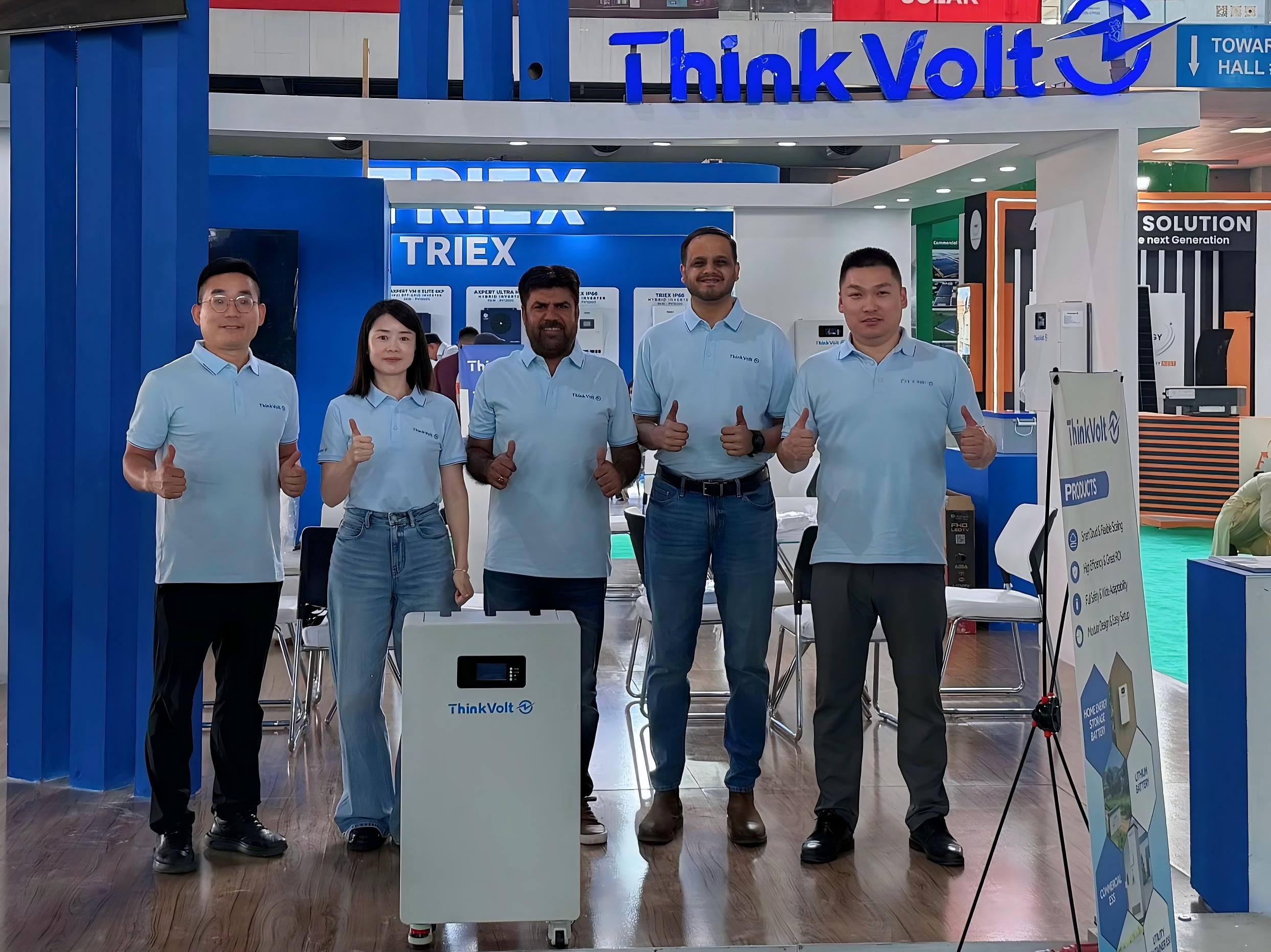
ThinkVolt at Solar & Storage Expo Pakistan 2026: Connecting with Pakistan’s Energy Storage Market
2026-07-23
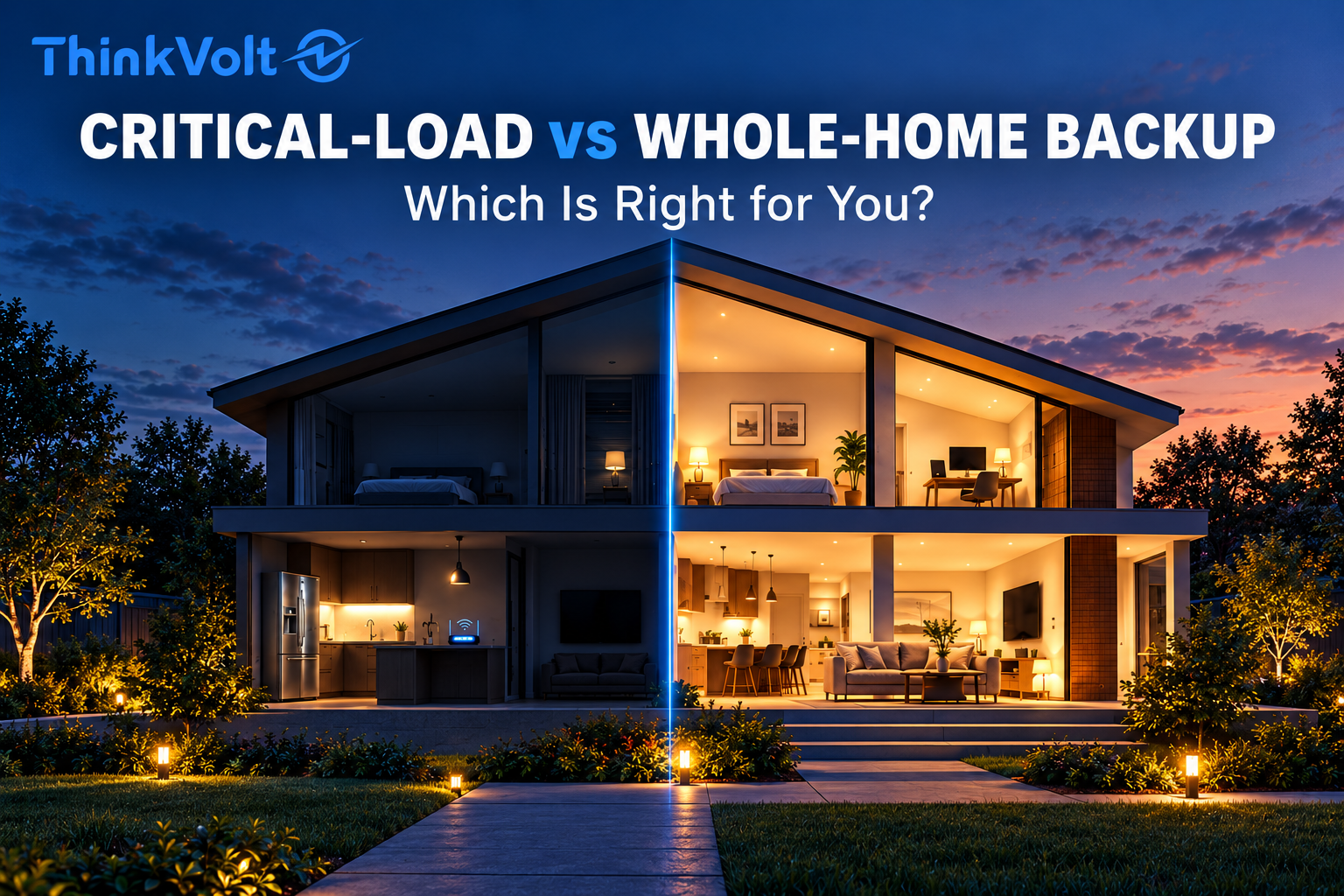
Critical-load backup is usually the more practical choice when you mainly need to keep essential appliances running during an outage, while whole-home backup is better suited to households that want a wider range of circuits available. Neither option guarantees that every appliance can run at once or that power will last for a specific number of hours.
The right choice depends on three factors: which circuits need backup, how much power your appliances draw simultaneously, and how long you need them to operate.
This guide compares critical-load vs whole-home backup in terms of battery capacity, runtime, installation, cost, solar charging, and future expansion, helping homeowners and solar installers make informed decisions.
Critical-load backup supplies electricity to selected essential circuits during an outage, while whole-home backup makes a broader range of household circuits available for backup power.
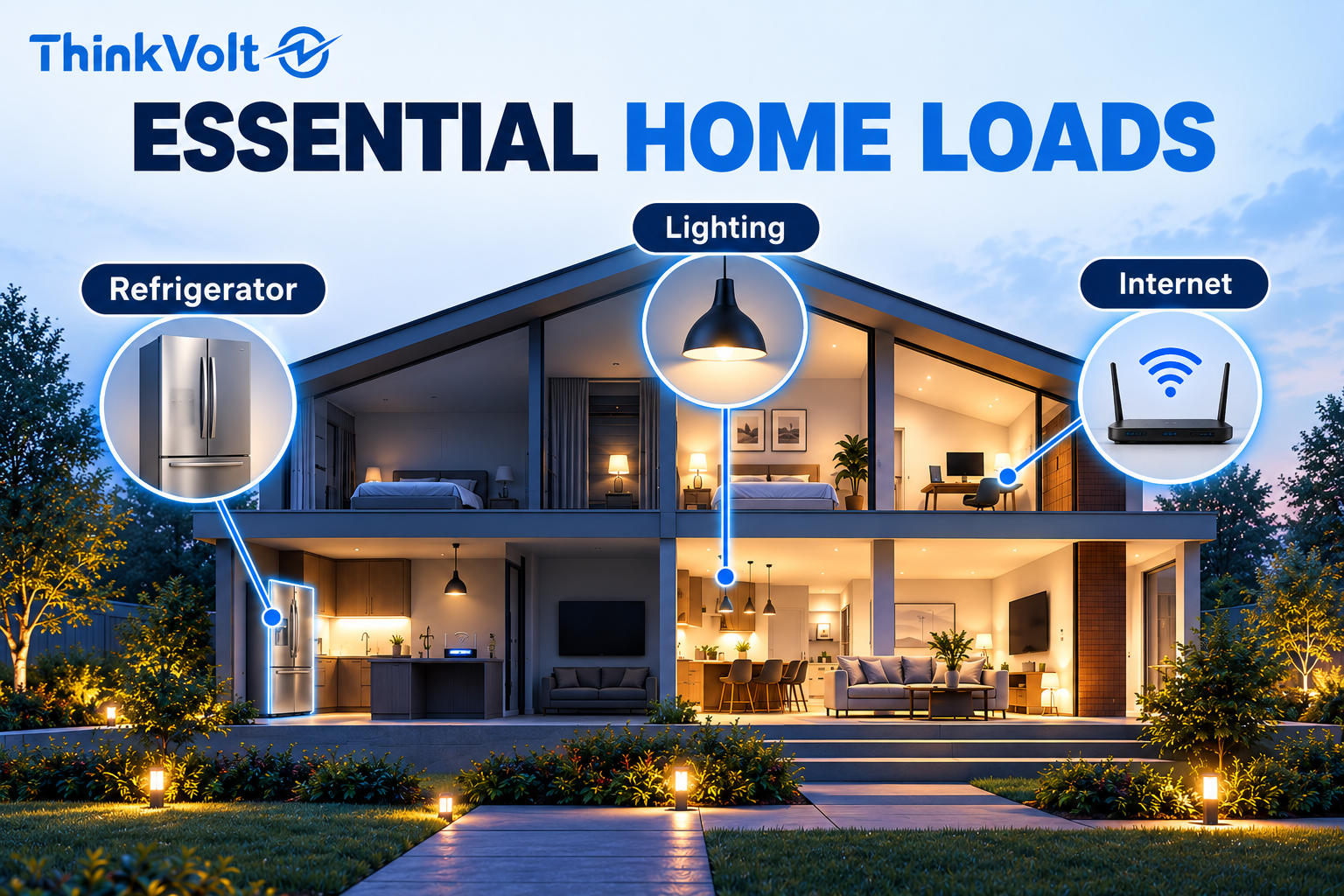
With critical-load backup, homeowners prioritize appliances such as refrigerators, essential lighting, and internet equipment. By limiting the loads supplied during an outage, the system can concentrate its available battery energy on essential needs.
Whole-home backup offers greater flexibility by making more household circuits available. However, the system's actual capabilities still depend on inverter output, battery capacity, and load management.
The following table summarizes the key differences:
Comparison | Critical-Load Backup | Whole-Home Backup |
Backup coverage | Selected essential circuits | Broader household circuit coverage |
Load priority | Essential appliances first | Greater flexibility with appropriate load management |
Battery requirements | Based on selected loads and runtime | Based on expected active loads and runtime |
Installation | Often involves a dedicated backup subpanel | May require broader panel integration and switching equipment |
Main advantage | Focused energy use | Greater household flexibility |
The essential distinction is backup coverage. Available power and backup duration must be evaluated separately, regardless of which approach you choose.
Critical loads are the appliances and electrical circuits that a household needs to keep operating during a power outage.
Common examples include refrigerators, essential lighting, internet routers, communication equipment, and systems needed for water supply or safe indoor conditions.
The exact priorities depend on household needs, local climate, and expected outage duration.
Start by identifying which appliances cannot reasonably wait until grid power returns. Then consider their running power, startup requirements, and expected operating hours.
A refrigerator, for example, typically cycles on and off, while an internet router draws power continuously. These operating patterns affect battery energy consumption differently.
Separate essential loads from convenience loads, such as entertainment systems, laundry equipment, or electric cooking. Air conditioning, heating, and water pumps may also be essential in certain households, but their power requirements can substantially affect system sizing.
For installers, the final load list should be checked against existing circuit arrangements, inverter capacity, and battery discharge capability.
Equipment requiring uninterrupted or life-safety power needs additional, application-specific assessment rather than relying solely on general residential battery backup.
Not necessarily. Whole-home backup allows a broader range of household circuits to receive backup electricity, but it does not guarantee that every connected appliance can operate simultaneously.
For example, running an air conditioner, electric water heater, and oven together could exceed the available backup output, even when the battery contains sufficient stored energy.
Depending on the equipment and protection settings, excessive demand may cause selected loads to disconnect or trigger a protective shutdown.
Load management helps keep electricity demand within the backup system's operating limits.
Homeowners may manually turn off nonessential appliances, while compatible smart load controllers can automatically delay or disconnect selected loads when necessary.
This distinction matters because whole-home coverage does not mean unlimited power.
A properly configured system may allow access to most household circuits while restricting high-demand appliances during an outage. Installers should therefore evaluate realistic simultaneous loads rather than assuming every appliance will operate at full power.
The inverter must provide enough continuous power for appliances operating simultaneously and sufficient short-term surge power to start demanding equipment. Battery discharge limits can also restrict backup output, even when sufficient stored energy is available.
Continuous output power, measured in kilowatts (kW), determines how much electrical load an inverter can sustain.
Surge or peak output describes the additional power it can deliver briefly. Since surge ratings depend on duration, a peak power figure alone is not enough to confirm compatibility.
Appliances such as air conditioners, refrigerators, and well pumps may draw significantly more current during startup than during normal operation.
The actual starting demand depends on the equipment and its starting method.
If several high-demand appliances start together, their combined requirements may exceed the inverter's surge capability and trigger protective shutdown.
Before recommending either backup option, installers should verify:
· The inverter's continuous output rating during backup operation.
· Short-term surge capability and its permitted duration.
· Appliance starting requirements and simultaneous load demand.
· Battery and battery management system (BMS) discharge limits.
Load sequencing or compatible soft-start equipment may help reduce startup demand in some applications, but suitability must be confirmed for the specific system.
Battery capacity requirements depend on average power consumption, desired backup duration, and the energy actually available for use.
With the same usable battery energy, a critical-load backup system will generally last longer than whole-home backup when it supplies fewer appliances and therefore has a lower average load.
A simplified calculation is:
Backup Runtime (hours) = Usable AC Energy (kWh) ÷ Average AC Load (kW)
Usable AC energy is the electricity available to household appliances after accounting for the battery's permitted operating range and applicable conversion losses.
It is not necessarily equal to nominal battery capacity.
When converting nominal battery capacity into a usable AC energy estimate, installers should account for the expected starting state of charge (SOC), minimum permitted SOC, discharge-path efficiency, and relevant operating losses.
If the usable AC energy figure already includes those losses, they should not be deducted again.
Consider two backup configurations with the same assumed 9 kWh of usable AC energy:
Parameter | Critical-Load Backup | Whole-Home Backup |
Usable AC energy | 9 kWh | 9 kWh |
Average backup load | 0.75 kW | 3.0 kW |
Estimated runtime | 12 hours | 3 hours |
For critical-load backup:
9 kWh ÷ 0.75 kW = 12 hours
For whole-home backup:
9 kWh ÷ 3.0 kW = 3 hours
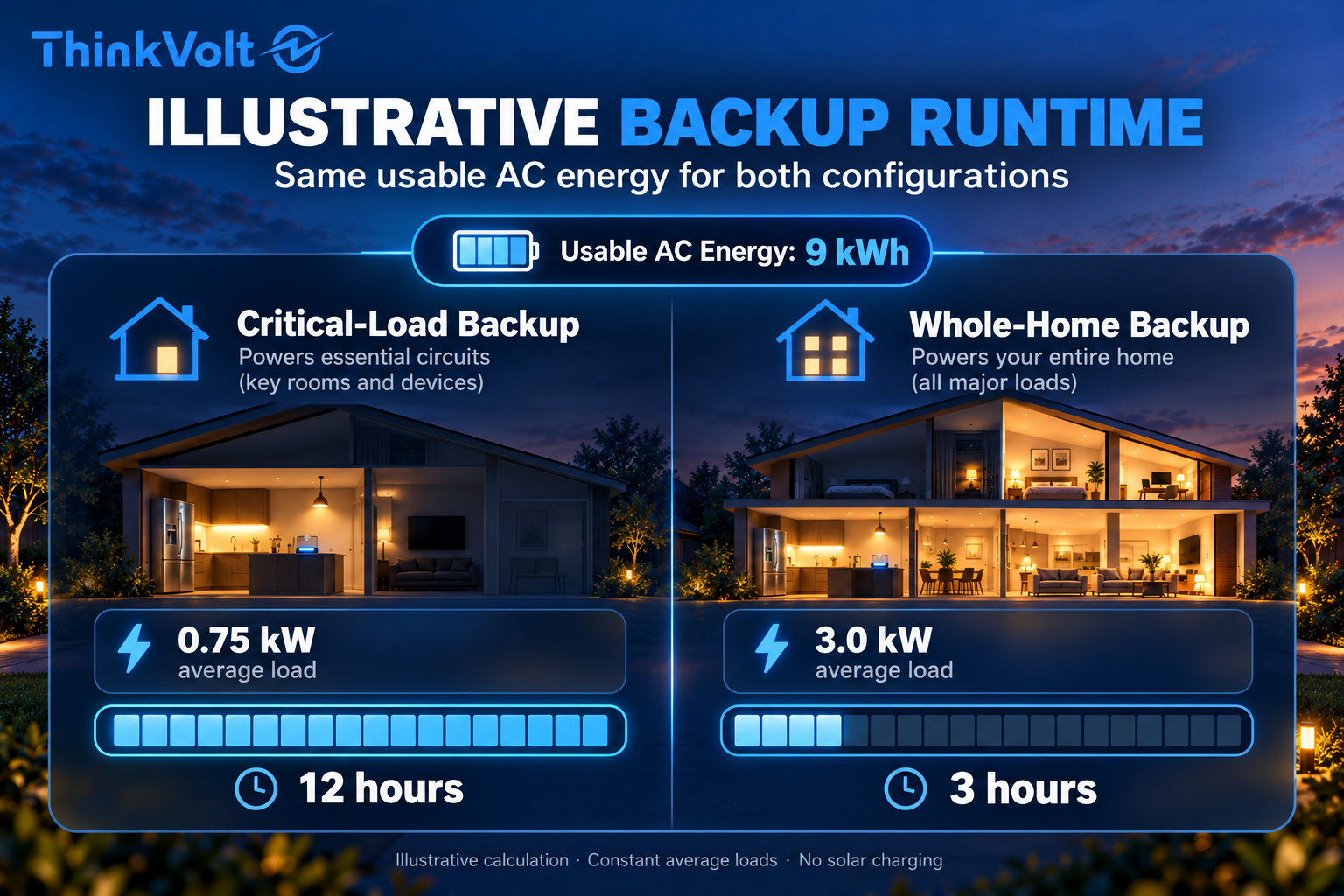
The figures assume constant average loads, no additional charging, and the same usable AC energy in both configurations. They are illustrative calculations, not guaranteed performance specifications for a particular battery.
Actual runtime may differ because of changing appliance demand, inverter standby consumption, battery operating limits, and environmental conditions.
Both configurations must also meet the inverter's output and appliance startup requirements.
The difference in calculated runtime comes from electricity consumption, not the backup label itself. Whole-home backup may also achieve longer operating times when high-demand appliances are switched off or managed effectively.
For a detailed battery quantity calculation, see ThinkVolt's guide: How Many Batteries Do You Need for Whole-Home Backup?.
Critical-load backup typically supplies selected essential circuits through a dedicated backup subpanel or another supported circuit-management arrangement.
Whole-home backup connects a broader range of household circuits to the backup supply, potentially requiring additional switching, protection, and electrical distribution equipment.
The actual configuration depends on the inverter architecture, existing electrical infrastructure, and local regulations.
In a traditional critical-load configuration, essential circuits such as refrigeration, lighting, and internet equipment are connected to a backup distribution panel. Other circuits remain outside the backup supply during an outage.
Whole-home backup may use a compatible backup interface, integrated transfer mechanism, or automatic transfer switch (ATS) to supply the main distribution panel.
The system must safely isolate the household installation from the utility grid during backup operation.
However, not every inverter supports whole-home backup, and an external ATS is not required in every architecture. Some systems use integrated switching equipment or approved smart load management configurations.
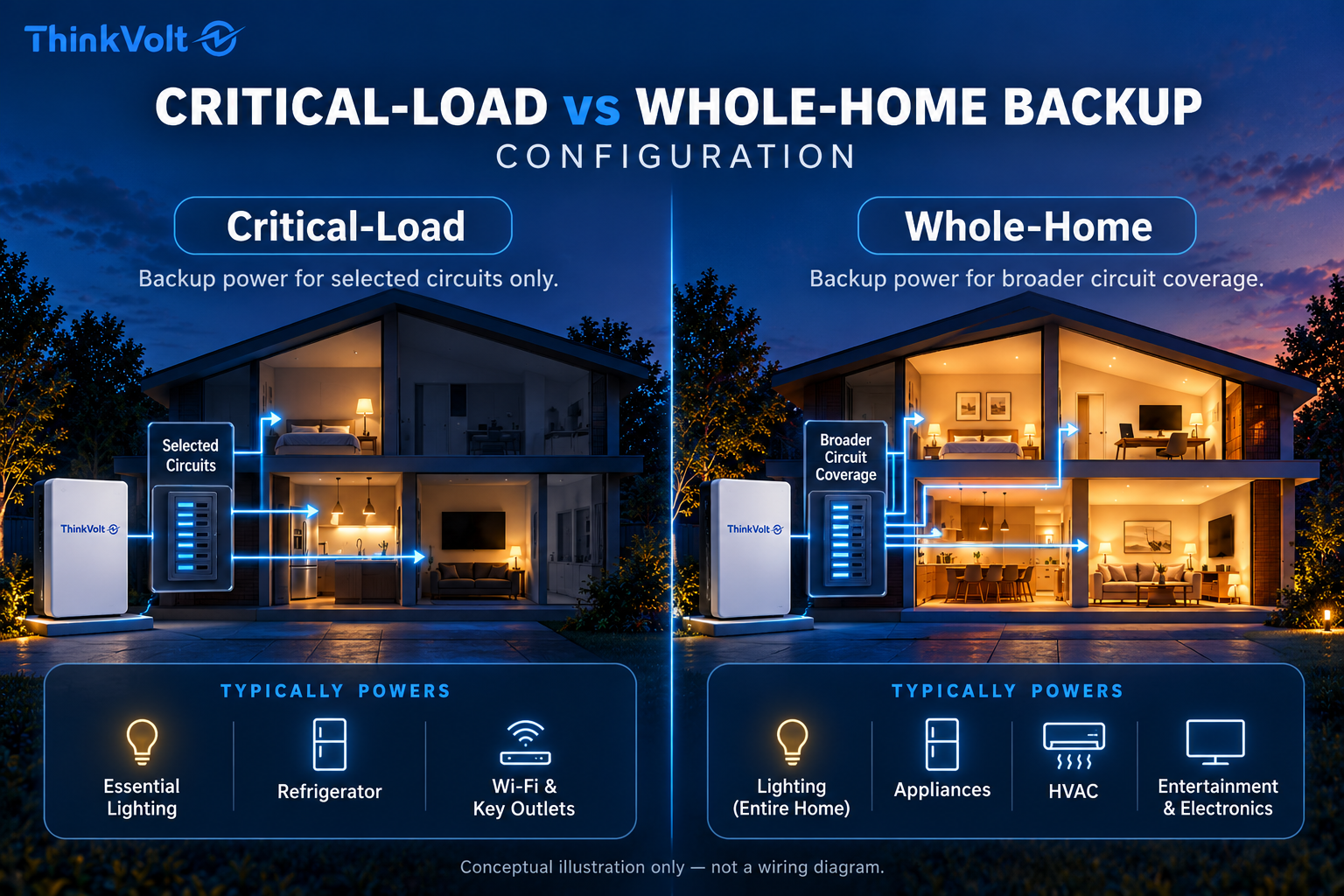
Before confirming either configuration, installers should check:
· Inverter capability: Supported backup/EPS functions and output ratings.
· Electrical distribution: Existing panel arrangements and required circuit modifications.
· Switching and protection: Grid isolation, transfer equipment, and protective devices.
· System compatibility: Voltage, phase configuration, load management, and battery communication.
· Local compliance: Applicable electrical codes, permits, and utility requirements.
Installation should follow approved equipment manuals and be completed by qualified professionals.
The appropriate architecture must satisfy both the desired circuit coverage and the electrical system's operating requirements.
Critical-load backup can be more affordable when limiting the supported loads allows homeowners to select a smaller battery system or lower-power inverter.
Whole-home backup may require more storage capacity, greater inverter output, and additional electrical equipment. However, the cost difference comes from actual equipment and installation requirements, not simply how the backup arrangement is labeled.
The main cost factors include:
Cost Factor | Critical-Load Backup | Whole-Home Backup |
Battery storage | Sized for essential loads and runtime | May require greater capacity for additional loads |
Inverter | Matched to selected load demand | May require higher continuous and surge output |
Electrical equipment | Often includes a dedicated backup subpanel | May involve broader panel integration and switching equipment |
Installation | Depends on circuit separation and existing wiring | Depends on service-panel configuration and system complexity |
Future expansion | Additional equipment may be required | Broader initial coverage may reduce some later modifications |
A critical-load system is not automatically cheaper to install.
Separating existing circuits into a dedicated backup subpanel may require substantial electrical work. Conversely, certain compatible systems can support broader backup coverage through integrated switching or load management without extensive rewiring.
For a meaningful cost comparison, request quotations based on the same required backup duration, expected appliance usage, installation location, and performance requirements.
The best-value solution is the one that meets your backup needs without unnecessary equipment capacity or avoidable future modifications.
Yes. Solar panels can extend backup runtime by supplying household loads and recharging batteries during an outage, provided the system supports off-grid operation and solar charging.
A conventional grid-tied solar installation without suitable backup equipment typically stops supplying power when utility electricity fails.
Continuing solar generation requires a compatible system architecture, appropriate grid isolation, and supported operating controls.
When solar production exceeds household consumption, surplus energy may recharge the battery, subject to charging limits and system conditions.
When generation falls below demand, the battery supplies the difference until available stored energy is depleted.
Both critical-load and whole-home backup systems can benefit from solar charging. However, reducing nonessential loads may help preserve stored energy and leave more solar production available for battery charging.
Actual results depend on weather, sunlight, PV capacity, electrical consumption, and inverter capabilities.
For additional guidance on matching generation and storage, see Does Battery Size Need to Match Your Solar Array?.
The better backup option depends on outage duration, essential power needs, household electricity consumption, and budget.
Critical-load backup is often more practical when maintaining essential services for longer periods is the priority. Whole-home backup offers greater flexibility when homeowners want more circuits available during an outage.
The following scenarios illustrate how different requirements influence the decision:
Household Scenario | Recommended Approach | Key Consideration |
Essential appliances such as refrigerators, lighting, and internet routers | Critical-load backup | Prioritize necessary circuits and backup duration |
Frequent or extended outages | Critical-load backup may be preferable | Reduce energy demand and assess recharging options |
Short outages with minimal disruption to daily routines | Whole-home backup may be suitable | Verify simultaneous loads and system capacity |
Homes with air conditioning, well pumps, or other high-power equipment | Depends on system design | Check continuous power, startup requirements, and discharge limits |
Limited initial budget with future expansion plans | Expandable critical-load system may be suitable | Confirm inverter compatibility and upgrade feasibility |
Start with the consequences of losing power rather than the number of appliances in your home.
If your priority is keeping essential equipment operating throughout prolonged outages, concentrating available energy on selected loads may provide better backup endurance.
If maintaining broader household convenience matters more, whole-home backup may justify additional system capacity and investment.
Neither approach is universally better.
A household with modest electricity consumption may operate a broader backup configuration without requiring an unusually large battery, provided the inverter and electrical distribution are suitable.
Similarly, a household with substantial energy demand may benefit more from carefully managing selected loads than from simply increasing battery capacity.
The right decision should reflect actual power consumption, expected outage conditions, installation constraints, and willingness to manage energy use.
Yes, some critical-load backup systems can be upgraded to whole-home backup, but feasibility depends on the original system design, equipment compatibility, and electrical infrastructure.
Simply adding more batteries does not automatically expand backup coverage.
Increasing battery capacity (kWh) can extend runtime without necessarily increasing inverter output power (kW) or changing which circuits receive backup electricity.
Before planning an upgrade, installers should verify:
· Inverter capacity: Can the inverter support additional continuous loads and startup surges?
· Battery expansion: Does the BMS support additional units, including communication and discharge requirements?
· Electrical distribution: Can the existing backup interface, switching equipment, and panels support broader circuit coverage?
· System compatibility: Are the proposed modifications supported by equipment manufacturers and permitted under local regulations?
Depending on these conditions, upgrading may require additional batteries, a higher-power inverter, electrical modifications, or compatible load management equipment.
If whole-home backup is a future goal, selecting a system with verified expansion options from the beginning can help reduce unnecessary equipment replacement and installation costs.
Choose critical-load backup if your priority is maintaining essential appliances while controlling system size and energy consumption.
Choose whole-home backup if you want broader circuit coverage and your electrical system can support the required power demand.
The decision should follow five practical steps:
1. Identify essential loads: List the appliances and circuits that must remain available during an outage.
2. Assess power demand: Calculate expected simultaneous loads and identify equipment with high startup requirements.
3. Set your runtime target: Determine the required backup hours and estimate the necessary usable battery energy.
4. Verify compatibility: Check inverter backup functions, battery specifications, electrical distribution, and local installation requirements.
5. Compare complete solutions: Evaluate installed cost, operating flexibility, load management, and future expansion options.
Prepare the installation country, grid voltage and phase, appliance list, expected electricity demand, and target backup duration.
If an existing solar or battery system is installed, include its inverter model, PV capacity, and relevant equipment specifications.
Also consider whether backup requirements might increase in the future.
A qualified installer can use this information to evaluate the technical feasibility of each option and recommend an appropriate configuration.
The best backup system is not necessarily the one that covers the most circuits, but the one that reliably meets your actual requirements.
Possibly. Some existing solar installations can gain battery backup through a compatible AC-coupled storage system without replacing the original solar inverter.
Other configurations require additional switching equipment, a compatible hybrid inverter, or more extensive modifications.
The installer must verify the exact equipment models, grid-isolation arrangement, backup operating mode, and solar charging compatibility. A conventional grid-tied inverter should not be assumed to operate independently during an outage.
Not always. A dedicated critical-load subpanel is common, but some compatible backup systems use integrated interfaces, approved switching arrangements, or smart load control equipment.
The appropriate configuration depends on the existing electrical distribution, inverter architecture, and local electrical requirements.
A qualified installer should assess the installation before determining whether circuits must be relocated or additional equipment is needed.
They may. Some home battery systems have a brief transfer interruption when switching from grid power to backup operation.
The actual transfer time depends on the inverter, switching equipment, and system configuration.
Sensitive electronics or equipment requiring uninterrupted electricity may need an appropriate uninterruptible power supply (UPS) or another dedicated solution. Do not assume that every residential backup system provides interruption-free power.
Yes. A suitably configured home battery system can store grid electricity and supply supported household circuits during an outage without solar panels.
However, the equipment must support the intended charging and backup functions, and grid charging must comply with applicable local requirements.
Without solar generation or another approved charging source during an outage, available stored energy determines how long the battery can support the connected loads.
The system generally limits or stops discharge according to its operating and protection settings.
However, a user-selected Backup Reserve is not necessarily the same as the battery's minimum permitted SOC. Depending on the system, reserved energy may become available during an actual outage.
The final discharge cutoff and restart behavior are equipment-specific.
For more information, see ThinkVolt's guide: What Backup Reserve Should You Set on a Home Battery?.
Beyond basic load calculations, installers should verify the exact equipment configuration, protection requirements, switching behavior, and installation environment.
They should also confirm that battery communication, grid isolation, relevant firmware, and backup functions operate as documented.
Commissioning and any controlled outage tests must follow manufacturer procedures and applicable regulations. Technical assumptions should be verified before the system is presented as ready for backup operation.
Yes, but only when the selected system supports the required three-phase backup configuration and load characteristics.
Not every residential inverter can supply three-phase loads during an outage. Some systems back up only one phase or selected circuits, while others support broader three-phase operation.
Installers must verify phase balance, inverter output, starting requirements, switching equipment, and local electrical standards before confirming compatibility.
Critical-load backup focuses available battery energy on essential needs, while whole-home backup offers broader electrical coverage and greater flexibility.
The right choice depends on your actual loads, required backup duration, system compatibility, and budget—not simply the number of circuits available during an outage.
ThinkVolt provides LiFePO4 home energy storage batteries and related energy storage solutions for residential applications.
Whether you are a homeowner planning backup power or a solar installer evaluating a project, share your load requirements, desired backup duration, existing inverter configuration, and installation conditions with the ThinkVolt team.
We can help assess suitable battery storage options and system requirements based on your project needs.